Request
Start with the scope, priority, due date, and source files together in one work request.

Company Memory
Darwin keeps that knowledge inside the company. Capture your cost logic once as reusable modules, apply current Price Lists, approve each estimate formally, and carry the decision into Cost Control. Every project can teach the next one.
How Knowledge Moves
Start with the scope, priority, due date, and source files together in one work request.
Record scope questions and assumptions before estimating, with estimator judgment kept in view.
Reuse company modules, bring in quantities, and apply the Price List for this project.
Check quantities, assumptions, prices, and where each important number came from.
Record who approved what, when, and under which Price List. Rejections return for rework.
Use the approved estimate as the baseline for actual costs, invoices, and commitments.
Turn variance into a proposed module improvement that a person reviews and accepts.
Cost DNA
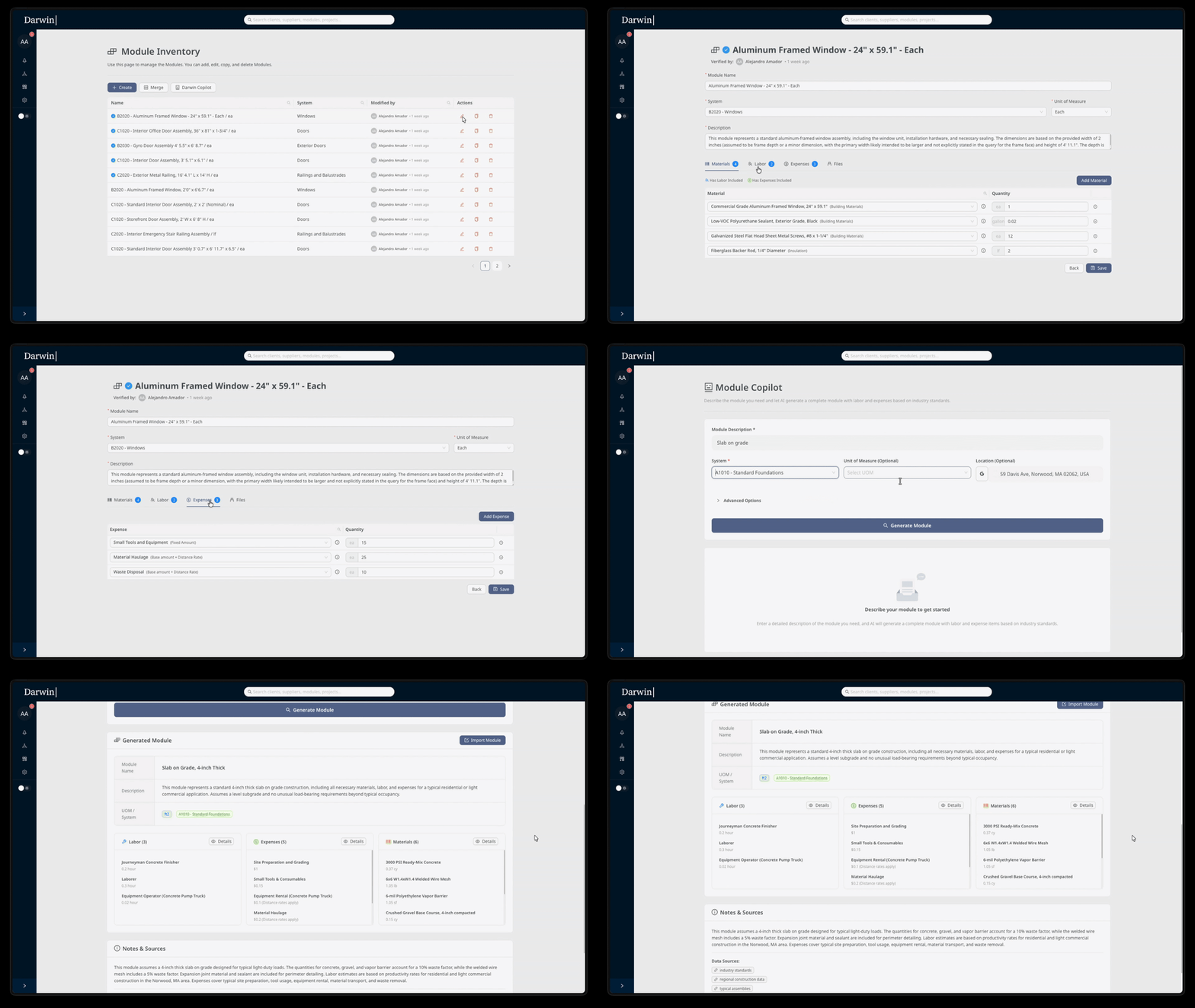
Reusable modules capture how your company builds and prices work: materials, crews, yields, expenses, assumptions, and scope boundaries. A senior estimator can author and validate that knowledge, then make it available to the whole team.
Prices live separately in Price Lists. When the company improves its method, the module gets a new version and the earlier logic remains available. Knowledge stays useful across projects and stays with the company when people move on.
Price Lists
Take a finished estimate and apply a different Price List. Darwin recosts the entire estimate in seconds and shows both versions side by side. The original stays untouched, so you can review the effect before making a decision.
Your logic didn’t change. The market did. Darwin knows the difference. Each material shows its price history and where the number came from, and each estimate keeps the Price List used to calculate it.
Quantities
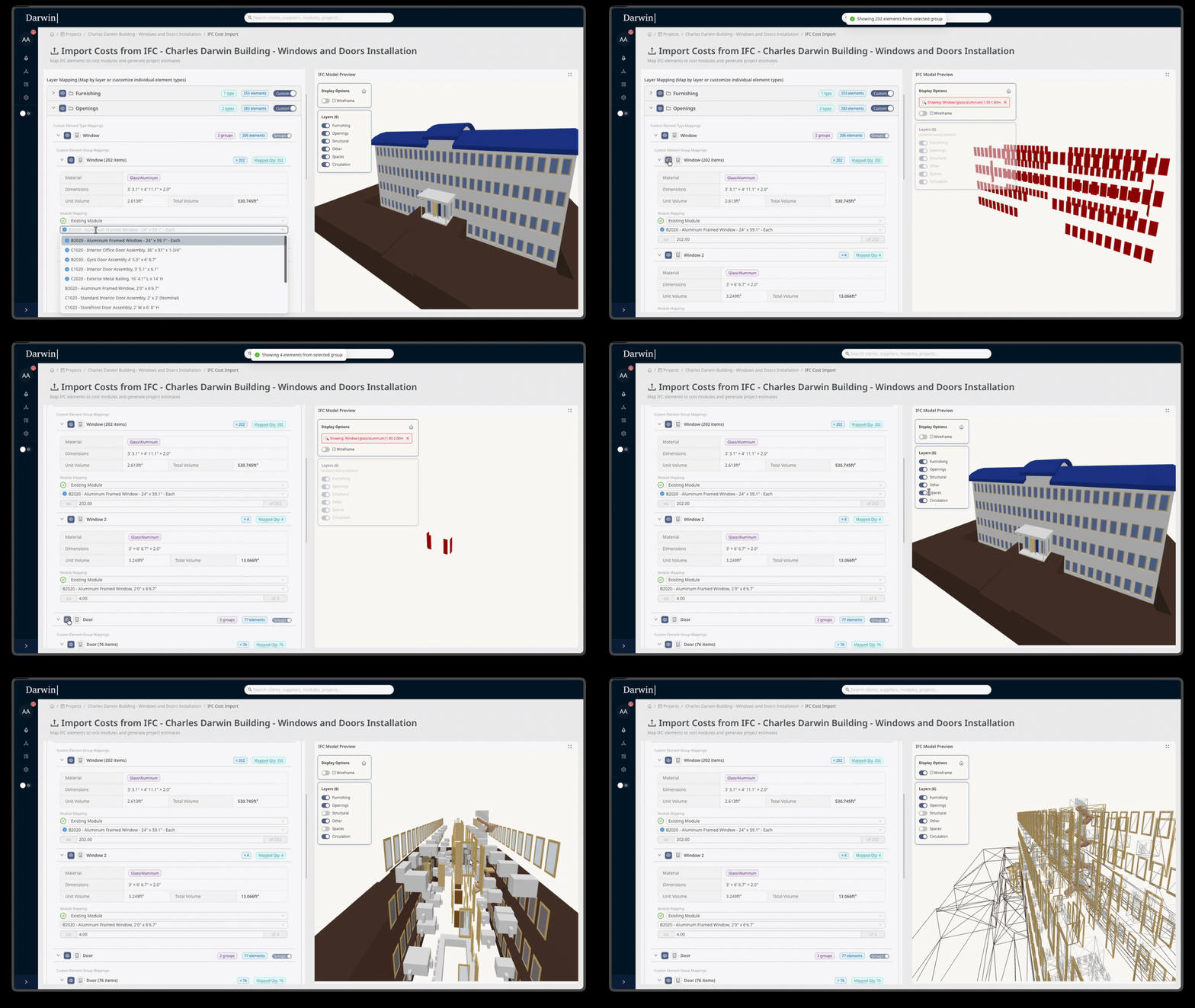
BIM is optional. Whether quantities come from a model, a drawing, or manual entry, Darwin shows where each one came from and keeps the estimator’s judgment in control.
IFC / BIM import. Extract counts, dimensions, and volumes from a model to accelerate takeoff. The estimator interprets the model, maps the work, and owns the scope.
2D PDF takeoff. Measure drawings in Darwin with area, count, linear, and polygon tools, with the drawing kept as the source.
Manual entry. Enter early-phase or non-model quantities directly, with the source and the person who entered them visible.
Estimating
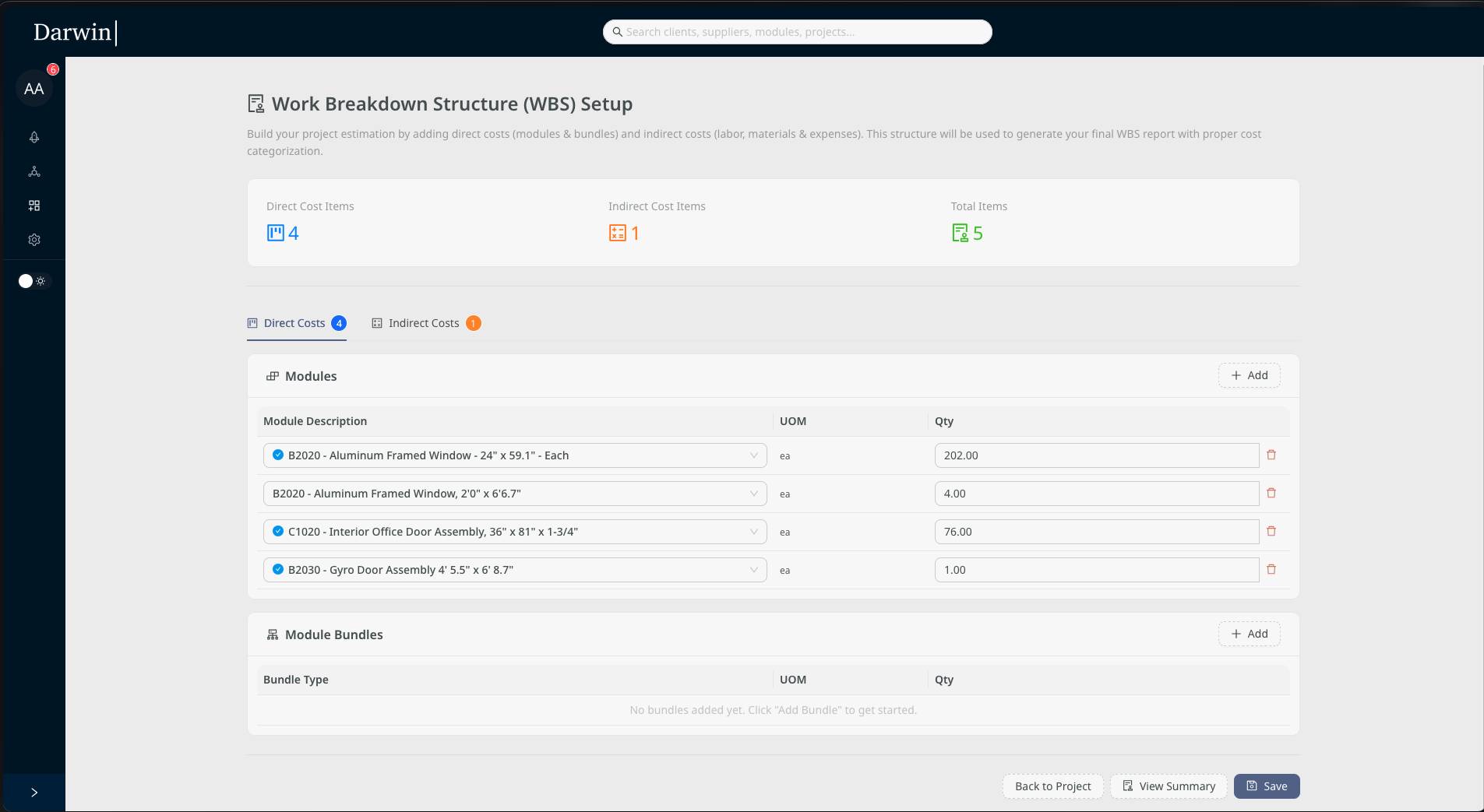
Pull reusable modules, load the quantities, and apply the project’s Price List. The workspace brings them together while preserving where every number came from and which assumptions the estimator made.
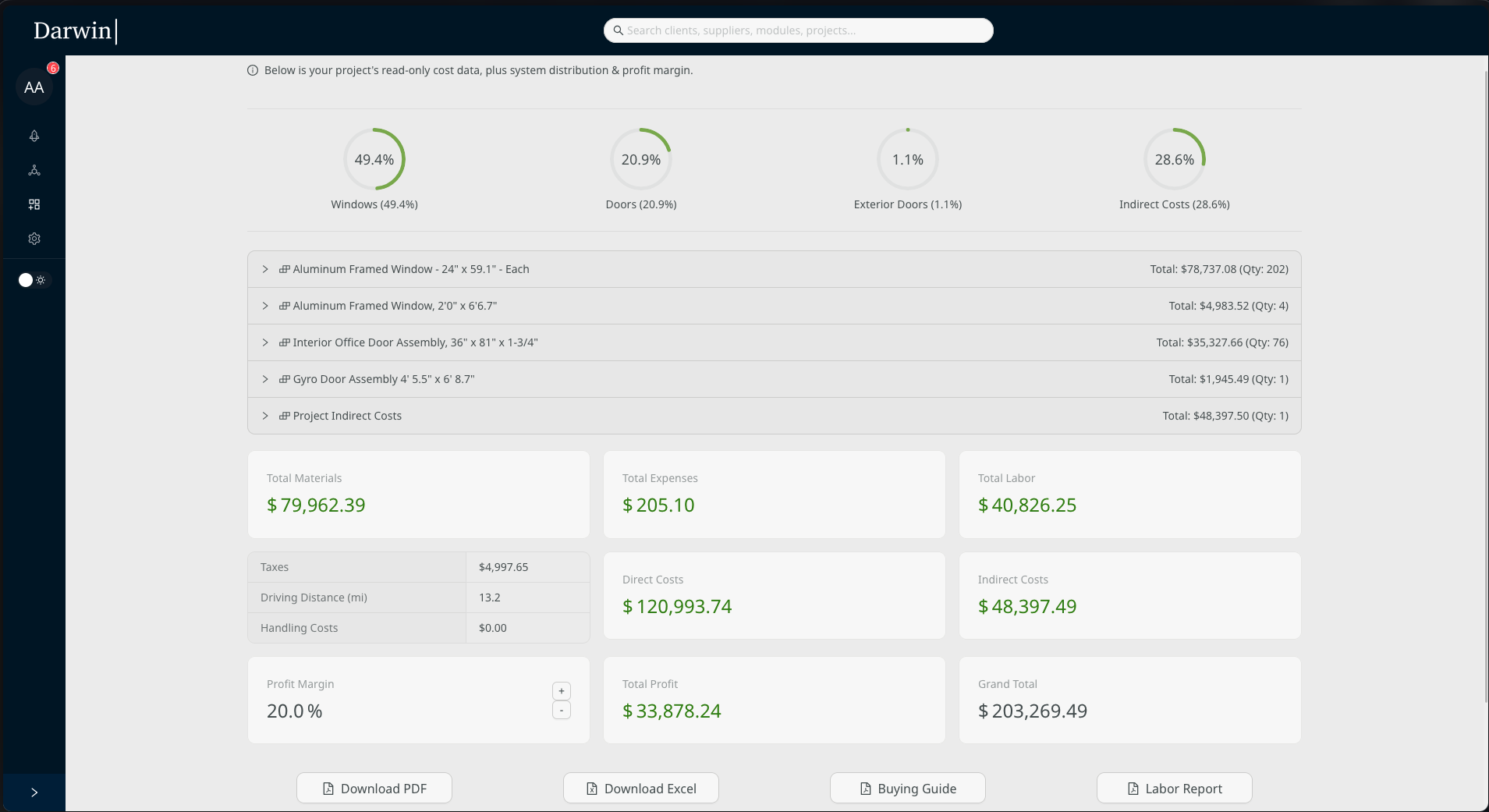
Review direct and indirect costs, then drill from the total into modules, materials, labor, and expenses. Revisions stay available for comparison, with taxes and margin shown separately before formal approval.
Formal Approval
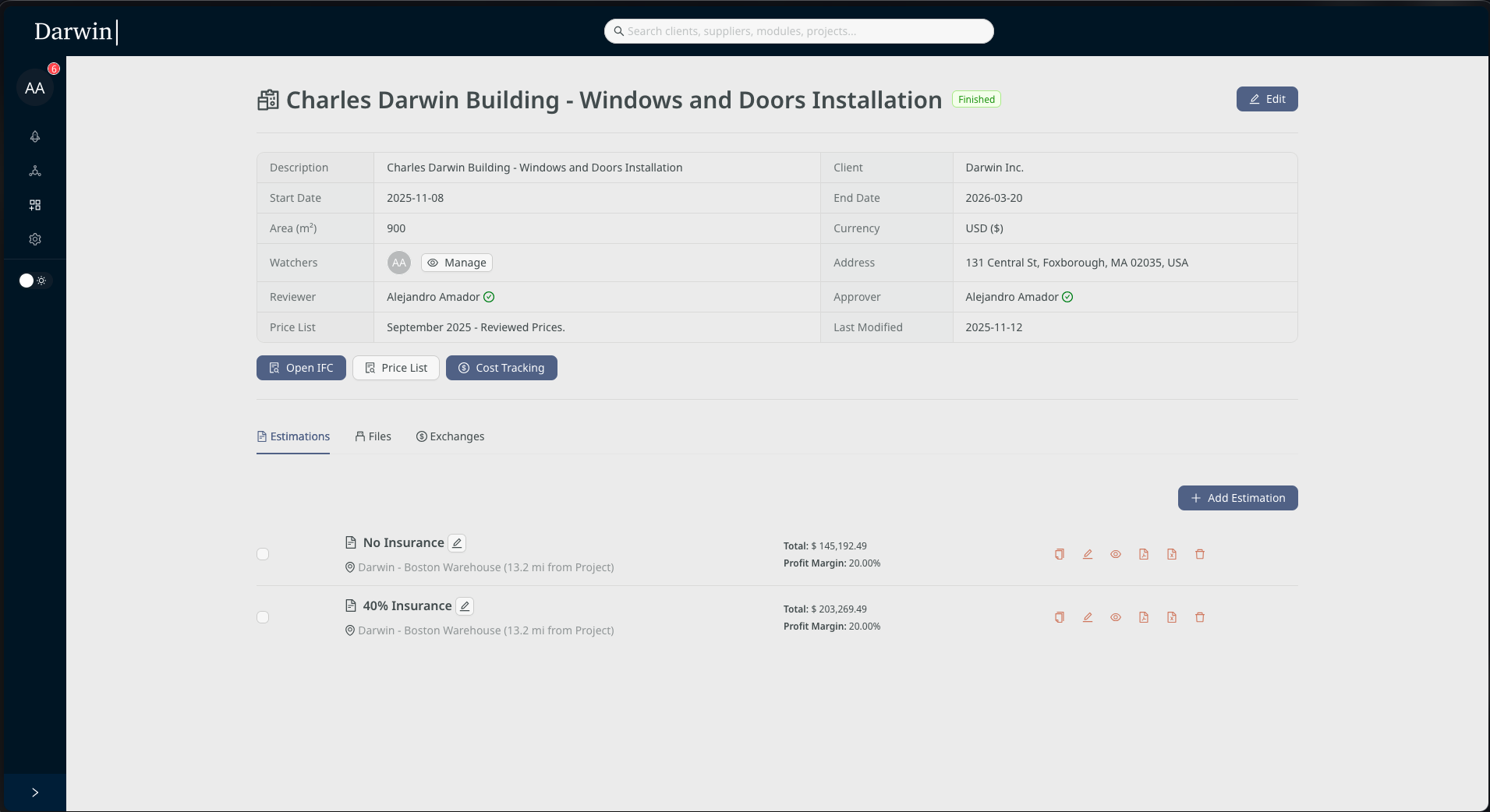
Every estimate is reviewed and approved before it becomes the project’s cost commitment.
Work requests. Scope, priority, due dates, source files, and comments stay together from the beginning.
Review and decision. The approver sees the full estimate, its revision, assumptions, and Price List. The decision records the person, time, and notes; rejection sends it back for rework.
Approved baseline. Approval locks the accepted estimate as the baseline for Cost Control. Later activity never obscures what the team committed to.
Cost Control
The approved estimate becomes the baseline for the project. Actual costs, invoices, and commitments are recorded against the same cost groups the estimator used, so the original decision remains visible during execution.
See budgeted, committed, approved actual, available budget, and completion percentage for each group. Open any group to understand the entries, vendor, status, and where the cost came from.
Learning Loop
Cost Control compares execution reality with the approved baseline. A meaningful difference can become a proposed improvement to the module, with the supporting project numbers available for review.
A person reviews the proposal, applies estimator judgment, and accepts or rejects it before the module changes. Every accepted improvement becomes part of the company’s memory. Every project teaches the next one. That’s why it’s called Darwin.
Company Memory
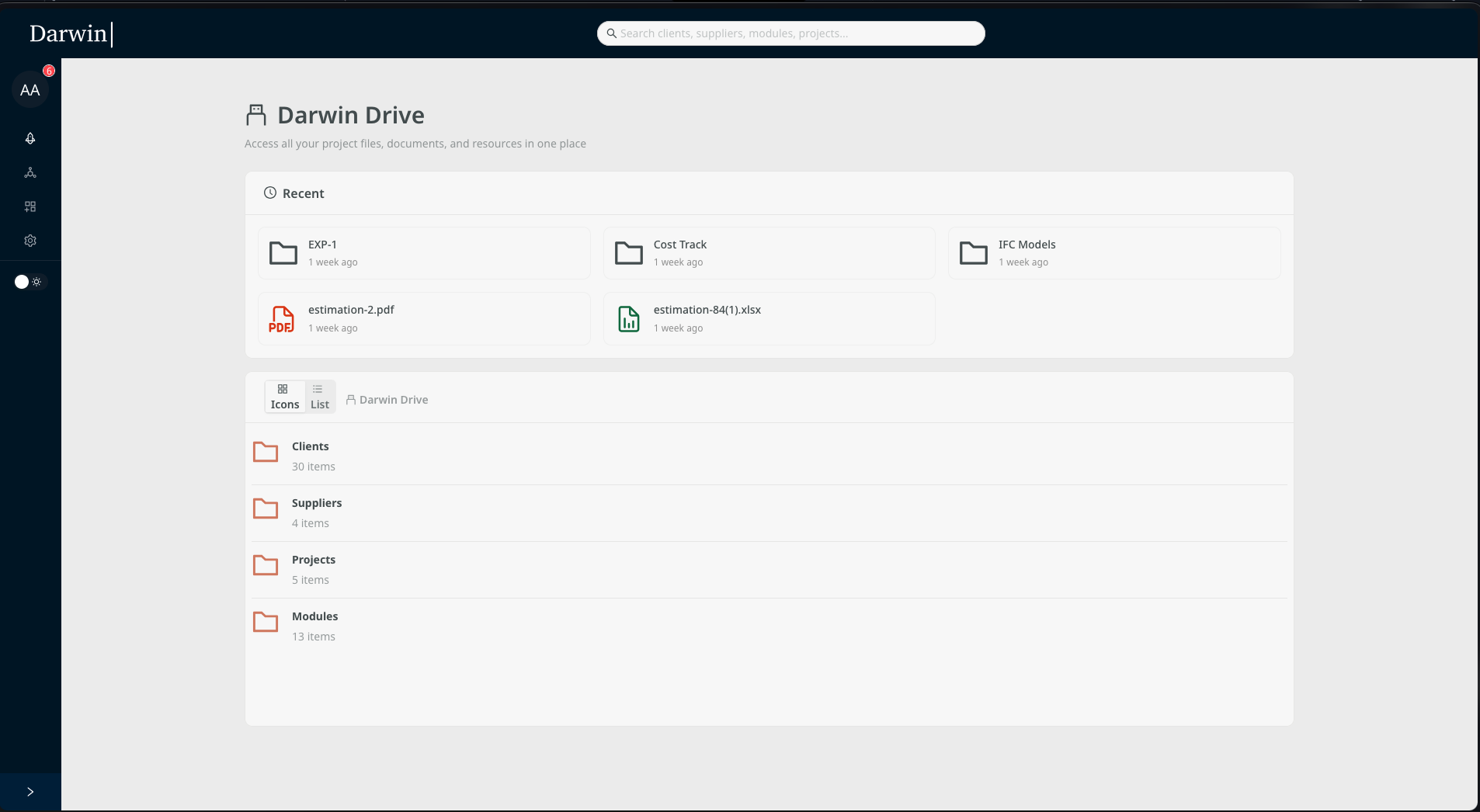
Darwin Drive organizes files around clients, vendors, projects, modules, work requests, and Price Lists. The team can find the context behind an estimate without searching through personal folders.
An IFC model stays with its project. A supplier quote stays with its vendor and helps explain where a price came from. Recent files surface automatically, and everything is searchable.
The People In Control
Build a module library that reflects how your company works. Set the review standard and preserve senior estimating knowledge for the whole team.
Start from reusable logic, apply the right Price List, bring quantities from any supported source, and keep your judgment visible in the estimate.
Review the complete estimate and its Price List before committing. Your decision creates the baseline that every downstream cost is measured against.
Track committed and actual costs against the approved baseline from day one. Investigate variance with the original decision and source numbers in view.
Protected Knowledge
Darwin keeps quantities, cost logic, market prices, and approval decisions clearly separated. You can update one while preserving the others and understand exactly what changed.
Modules hold how your company builds. Price Lists hold the market at a point in time. Approved estimates keep the logic, quantities, prices, and decision the team accepted together.
See It In Action
Darwin is available in English and Spanish. These screenshots show the Spanish interface.
See Your Company’s Memory at Work
We’ll apply a different Price List, recost an estimate in seconds, and compare it side by side with the untouched original. Then we’ll follow the decision into approval and Cost Control.
See a Demo